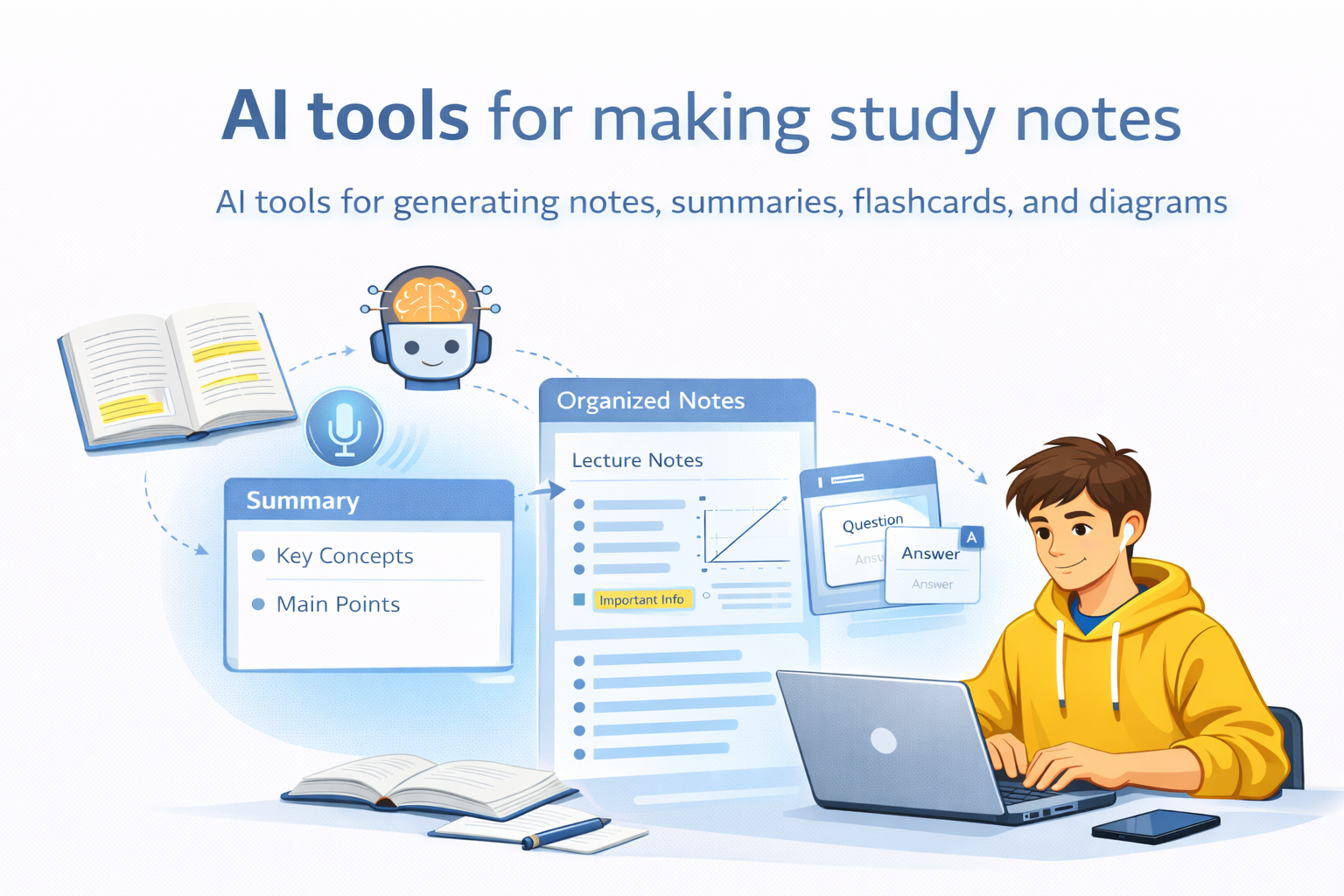
Best AI Tools for Making Study Notes in 2026
Making study notes from textbooks, PDFs, lecture slides, recorded lectures, websites, and messy class notes can take hours.
AI tools can reduce much of that manual work by turning course material into structured notes, study guides, flashcards, quizzes, explanations, and revision resources.
But there isn’t one AI tool that is best for every student.
A student studying from several PDFs has a different need from someone trying to turn a recorded lecture into usable notes. Someone preparing for a cumulative exam may also need spaced repetition rather than another summary.
This guide compares the best AI tools for making study notes by use case, including source-based studying, flexible explanations, lecture notes, exam preparation, flashcards, quizzes, and long-term review.
Quick recommendation: If your study workflow is centered on your own course sources, start with NotebookLM. If you want a more flexible AI that can explain, reorganize, and quiz you on material, ChatGPT is a strong choice.
Quick Answer: Best AI Tools for Making Study Notes
| AI Tool | Best For | Best Starting Material | What You Can Do Next |
|---|---|---|---|
| NotebookLM | Studying from your own sources | PDFs, documents, websites, slides, audio | Questions, study guides, flashcards, quizzes |
| ChatGPT | Flexible explanations and note transformation | Notes, PDFs, slides, images, worksheets | Explanations, questions, guided review |
| StudyFetch | Integrated study workflow | PDFs, slides, lecture videos, notes | Notes, flashcards, quizzes, study plans |
| Knowt | Notes plus revision | PDFs, PowerPoints, images, videos, recordings | Flashcards, tests and review |
| Quizlet | Study guides and practice | Notes, PDFs, slides, handwritten notes | Flashcards and quizzes |
| RemNote | Long-term retention | Notes, PDFs and learning material | Flashcards and spaced repetition |
| Coconote | Lecture-to-note workflows | Lectures, audio, video, PDFs and documents | Notes, quizzes, flashcards and other study materials |
| Aripsy | Exam-focused note organization | Study text and supported documents | Notes, flashcards and exam practice |
Features, file limits, pricing, and free-plan allowances can change. Check each product’s current official documentation before choosing a tool based on a specific feature or usage limit.
Best AI Tools for Making Study Notes at a Glance
Best for studying from your own sources: NotebookLM
Best when your main material already exists in PDFs, documents, websites, slides, notes, or other supported sources.
Best flexible option: ChatGPT
Best when you want to reorganize material, explain difficult concepts, create questions, and study interactively.
Best integrated study workflow: StudyFetch
Best when you want to move from uploaded material to notes, flashcards, quizzes, and study planning in one workflow.
Best for notes plus revision: Knowt
Best when you want AI-generated notes to lead directly into flashcards, practice tests, and review.
Best for study guides and practice: Quizlet
Best when you want to turn notes and course material into structured study guides, flashcards, and quizzes.
Best for long-term retention: RemNote
Best when spaced repetition is an important part of how you study.
Best for lecture-focused notes: Coconote
Best when lectures, recordings, audio, or videos are your main source material.
Best exam-focused option: Aripsy
Best when you want structured notes with subject, level, and exam-context settings.
How We Compared These AI Note-Making Tools
We compared these tools according to the study workflow they support, rather than ranking them only by popularity.
The main criteria were:
- Supported study material
- File and source handling
- Note organization
- Explanation quality
- Source-based studying
- Flashcard support
- Quiz and practice features
- Lecture handling
- Spaced repetition
- Ease of use
- Free-plan restrictions
- Practical limitations
- How easily notes can continue into actual revision
This article focuses on tools that directly support the study-note workflow.
Some AI products are excellent for research, writing, transcription, or general productivity but are not necessarily strong choices for making and studying notes. Those tools may fit better in separate guides.
This comparison is based on current product documentation and publicly available product information. It does not claim hands-on testing of every tool unless specifically stated.
1. NotebookLM — Best for Studying From Your Own Sources
NotebookLM is a strong starting point when your study workflow is centered on material you provide.
Instead of asking an AI to explain a broad topic from scratch, you can create a notebook around your sources and work with those materials directly.
It can be useful for sources such as:
- Textbook chapters
- Lecture slides
- Class notes
- Course websites
- Research material
- Audio or lecture sources
You can then use those sources to ask questions and create additional study resources.
Why it stands out
NotebookLM makes the most sense when you already have the material your course expects you to study.
The basic workflow is:
Your sources → questions → explanations → study resources
Best for
Students who want to study from their own course material rather than starting with a general topic.
Main strength
A source-centered study workflow.
Main limitation
NotebookLM is not necessarily the best choice if your main priority is highly customized general-purpose writing, extensive content transformation, or a full spaced-repetition system.
Generated answers and study artifacts can also contain inaccuracies, so important information should still be checked against the original material.
Choose NotebookLM if
You already have the material and want the AI to help you understand and study that material.
2. ChatGPT — Best Flexible AI for Making and Improving Study Notes
ChatGPT is a strong option when you want to do more than summarize.
Study Mode can guide learning through questions, step-by-step explanations, and understanding checks rather than simply giving a final answer. It can work with uploaded class notes, slides, readings, PDFs, images, worksheets, and other study material.
You can use ChatGPT to create
- Structured study notes
- Definitions
- Key-concept summaries
- Step-by-step explanations
- Comparisons
- Exam-focused revision notes
- Practice questions
- Active-recall exercises
- Flashcard-style review
Example
Instead of asking:
Summarize this chapter.
Try:
Turn this chapter into structured study notes for a college student. Organize it into key concepts, definitions, examples, processes, formulas, and common mistakes. Keep the terminology used in the source and do not add unsupported information.
Then continue with:
Now quiz me one question at a time. Don’t show the answer until I respond.
Best for
Students who want maximum flexibility in how their material is explained, reorganized, and practiced.
Main strength
Flexibility.
Main limitation
ChatGPT is a general AI learning assistant rather than a dedicated spaced-repetition system. It can create flashcard-style review, but students who want scheduled long-term card review may prefer a dedicated system such as RemNote.
Choose ChatGPT if
You want one flexible AI that can explain, reorganize, simplify, compare, and quiz you on your study material.
3. StudyFetch — Best for an Integrated Study Workflow
StudyFetch is designed around a workflow where you upload your material once and continue using it for different study tasks.
Its study workflow can involve PDFs, slides, lecture videos, notes, flashcards, quizzes, study guides, and study planning.
The workflow
Material → notes → flashcards → quiz → review
For example, you can start with a PDF or slide deck, create notes, and then continue with flashcards or quizzes from the same study material.
Best for
Students who don’t want their workflow to stop at:
Material → summary
and instead want:
Material → notes → practice → review
Main strength
An integrated study workflow.
Main limitation
If you only need a simple source-based summary, a more focused tool may be easier.
Plan restrictions can also affect the amount of material or number of generations available, so check the current plan before relying on it for large workloads.
Choose StudyFetch if
You want to turn the same course material into several study resources without moving between multiple tools.
4. Knowt — Best for Notes Plus Revision
Knowt is built around student study workflows rather than being only a general-purpose chatbot.
Its AI summarization tools can work with materials such as PDFs, images, videos, PowerPoint files, and recordings. You can create notes or flashcards and then continue with practice tests and other study features.
Useful workflow
Study material → notes → flashcards → practice
Best for
Students who want their AI-generated notes to lead directly into revision.
Particularly useful when you have
- PDFs
- PowerPoint slides
- Images
- Videos
- Lecture recordings
- Existing study material
Free-plan note
Knowt offers free access to some study features, while certain AI-powered features have usage limits depending on the plan.
Check the current plan before relying on a specific allowance.
Main strength
The connection between note creation and revision.
Main limitation
Some AI-powered features have usage limits depending on the plan.
Choose Knowt if
You want AI-generated notes that can quickly become flashcards and practice material.
5. Quizlet — Best for Study Guides and Practice
Quizlet is particularly useful when you want your notes to become something you can actively study.
Its AI study tools can transform notes, PDFs, lecture slides, and handwritten notes into structured study material, including outlines, summaries, flashcards, and quizzes.
Best workflow
Material → study guide → flashcards → practice
Quizlet can also work with different types of course material, depending on the current upload and account capabilities.
Best for
Students who want to move quickly from raw study material to structured revision resources.
Main strength
Turning study material into practice-oriented resources.
Main limitation
If your primary need is a deeply source-centered workflow across many documents, another tool may fit better.
Choose Quizlet if
You want organized study guides that can quickly turn into flashcards and quizzes.
6. RemNote — Best for Long-Term Retention
RemNote takes a different approach from a basic AI summarizer.
The idea is not simply:
Material → summary
but:
Material → notes → flashcards → spaced repetition
RemNote supports AI-generated flashcards, PDF-based learning, quizzes, notes, and spaced repetition.
Its spaced-repetition workflow is designed to schedule reviews so that you can revisit information over time.
Best for
- Long-term subjects
- Large courses
- Cumulative exams
- Students who already use spaced repetition
- Students who want notes and review connected
Main strength
Long-term retention.
Main limitation
If you simply want a quick summary of a chapter, RemNote can feel more system-oriented than necessary.
Choose RemNote if
Remembering the material over weeks or months matters more than simply generating notes quickly.

7. Coconote — Best for Lecture-Focused Notes
If most of your learning happens through lectures, your main problem may not be summarizing a textbook.
It may be turning spoken information into usable study material.
Coconote is specifically relevant here. Its current workflow supports recording or uploading lectures, audio, video, documents, PDFs, and links, then generating organized notes and transcripts. It also offers quizzes, flashcards, and other study materials.
Best for
- Recorded lectures
- Class audio
- Lecture-heavy courses
- Video-based learning
- Students who want lecture notes plus revision resources
Main strength
Lecture-to-study-material workflow.
Main limitation
Lecture processing can still produce mistakes, particularly with technical terms, names, equations, diagrams, or unclear audio.
If your course depends heavily on precise terminology, always compare the generated notes with the original recording or course material.
Choose Coconote if
Your lectures are the main source of information and you want them turned into structured notes and revision material.
8. Aripsy — Best for Exam-Focused Note Organization
Aripsy is a more specialized study tool aimed at turning study material into structured, exam-oriented resources.
Its current workflow supports study text and supported document uploads, with settings for subjects, levels, and exam contexts. It can also generate structured study resources such as flashcards and exam practice.
Best for
- Exam-focused notes
- Structured revision
- Definitions and key concepts
- Flashcards
- Exam questions
- Students working within a defined curriculum
Main strength
Exam-oriented organization.
Main limitation
Document extraction can still require checking, particularly for diagrams, equations, tables, citations, and formatting-dependent information.
Choose Aripsy if
You want structured exam notes and your study workflow benefits from subject, level, or exam-context settings.
NotebookLM vs ChatGPT: Which Is Better for Study Notes?
This is one of the most useful comparisons because both tools can be excellent, but they solve slightly different problems.
| What You Need | Better Starting Point | Why |
|---|---|---|
| Ask questions about your own sources | NotebookLM | Source-centered workflow |
| Explain difficult material in different ways | ChatGPT | Highly flexible explanations |
| Work across several supplied sources | NotebookLM or ChatGPT | Both support source-based work |
| Guided questioning | ChatGPT | Interactive learning workflow |
| Create study resources from sources | NotebookLM | Strong source-centered workflow |
| Build a broader study workflow | ChatGPT / StudyFetch / Knowt | More transformation and practice options |
| Scheduled spaced repetition | RemNote | Dedicated spaced-repetition workflow |
Choose NotebookLM if:
Your priority is:
“Help me study the material I already have.”
Choose ChatGPT if:
Your priority is:
“Help me understand, reorganize, explain, and practice this material in different ways.”
Neither is universally better.
The right choice depends on your source material, study style, and what you want to do after the notes are created.
Best AI Tool Based on What You Have
If You Have a Textbook Chapter
Start with:
- NotebookLM
- ChatGPT
- StudyFetch
- Aripsy
Your choice depends on whether you want source-based studying, flexible explanations, integrated revision, or exam-focused organization.
If You Have PDFs
Consider:
- NotebookLM
- StudyFetch
- Knowt
- ChatGPT
- Quizlet
- RemNote
Your choice depends on whether you want source-based studying, explanations, structured study guides, or long-term review.
If You Have Lecture Slides
Consider:
- StudyFetch
- Knowt
- Quizlet
- NotebookLM
- ChatGPT
Slide-heavy courses often benefit from tools that can preserve the structure of the presentation and then turn the material into revision resources.
If You Have Recorded Lectures
Consider:
- Coconote
- StudyFetch
- Other lecture-focused tools
The key question is whether you need:
- Transcription
- Structured notes
- Flashcards
- Quizzes
- Lecture summaries
- Audio/video processing
Coconote and StudyFetch both offer lecture-focused workflows.
If You Have Messy Existing Notes
Start with:
- ChatGPT
- Knowt
- Quizlet
In this situation, you may not need another summary.
You need reorganization.
Try:
Reorganize these notes without removing important information. Keep the original terminology, group related ideas together, identify unclear sections, and turn the result into an exam-friendly structure.
If You Have Multiple Sources
Start with:
- NotebookLM
- StudyFetch
- ChatGPT
For example:
- Textbook chapter
- Lecture slides
- Professor’s notes
- Recorded lecture
- Additional reading
You can then ask the AI to identify:
- Common themes
- Differences
- Missing information
- Important concepts
- Relationships between topics
Free Plans and Limitations
There is no permanent “best free AI study tool.”
AI products regularly change their free limits, file restrictions, AI credits, and paid features.
A tool may be free to access while limiting:
- AI generations
- File uploads
- File size
- Number of projects
- Audio/video processing
- Flashcards
- Quizzes
- Exports
- Advanced features
For example, Knowt offers free access to some study features while placing limits on certain AI-powered functionality.
Aripsy’s current plan structure also distinguishes between free and paid capabilities.
So before choosing a tool, ask:
Does the free plan include the specific feature I need?
Don’t choose a tool simply because an old article says it is “free.”
How to Make Study Notes With AI
Choosing the right tool is only part of the process.
The real value of AI tools for making study notes comes from how you use them. Start with your original study material, ask the AI to organize the most important information, and then review the result against the source. Once your notes are accurate, you can turn them into flashcards, quizzes, summaries, or other revision resources. This approach saves time on repetitive note-making while keeping you actively involved in understanding and remembering the material.
The way you use it matters just as much.
Step 1: Start With the Original Material
Use the actual material you need to learn:
- Textbook chapter
- Lecture slides
- Class notes
- Lecture recording
- Course document
Whenever possible, give the AI the source rather than asking it to explain a broad topic from memory.
Step 2: Tell the AI What You Want
Don’t simply write:
Summarize this.
Tell it:
- Your education level
- Your subject
- Your exam goal
- How detailed you want the notes
- What information must be preserved
For example:
Turn this material into exam-focused study notes for a college student. Keep important terminology, definitions, examples, processes, and formulas. Organize the material by concept and flag anything that is unclear or needs verification.
Step 3: Organize Notes Around Understanding
Depending on the subject, useful sections may include:
- Key concepts
- Definitions
- Examples
- Cause and effect
- Processes
- Comparisons
- Formulas
- Important dates
- Common mistakes
- Applications
Don’t force every subject into exactly the same format.
A biology chapter, a history chapter, and a mathematics lecture may need completely different note structures.
Step 4: Verify the Notes
This is essential.
AI-generated notes can contain:
- Missing information
- Incorrect facts
- Misinterpretations
- Oversimplifications
- Wrong formulas
- Incorrect emphasis
Treat AI-generated notes as a draft, not automatically as the source of truth.
Pay particular attention to:
- Formulas
- Dates
- Statistics
- Definitions
- Scientific claims
- Technical details
- Diagrams
- Tables
- Citations
- Anything important for an exam
Step 5: Turn Verified Notes Into Active Recall
Once your notes are correct, don’t stop at rereading them.
Ask the AI to create:
- Active-recall questions
- Flashcards
- Practice problems
- Short-answer questions
- Multiple-choice questions
- “Explain this without looking” prompts
Then test yourself.
A stronger workflow is:
Learn → organize → verify → retrieve → correct → repeat
rather than:
Read → reread → forget
The Best AI Study-Note Workflow
If you want a practical system, use this:
1. Collect the source material
Gather the textbook sections, slides, notes, and lectures you actually need.
2. Choose the tool based on the material
Don’t automatically use the same tool for every subject.
3. Generate first-pass notes
Use AI to reduce the repetitive organization work.
4. Check the notes against the source
Correct missing or inaccurate information.
5. Simplify difficult concepts
Ask the AI to explain confusing sections at your level.
6. Create active-recall questions
Test whether you actually understand the material.
7. Create flashcards where appropriate
Use flashcards for information that benefits from repeated retrieval.
8. Practice
Solve problems, answer questions, and explain concepts without looking.
9. Review weak areas
Use your mistakes to determine what needs another round of study.
10. Repeat
The goal isn’t to create the prettiest notes.
The goal is to remember and understand the material.
A Simple Rule: Verify Before You Memorize
One of the easiest mistakes to make with AI study tools is turning incorrect AI output into flashcards.
Don’t do this:
AI notes → flashcards → memorize

Use:
AI notes → verify against source → corrected notes → flashcards → practice
This matters because an incorrect flashcard can make a wrong answer easier to remember.
Useful AI Prompts for Study Notes
Basic Note-Making Prompt
Turn this material into clear, structured study notes. Keep the important information, organize it by topic, and use headings, definitions, examples, and key takeaways.
Exam-Focused Prompt
Turn this material into exam-focused study notes. Identify the concepts, definitions, processes, formulas, examples, and distinctions I should understand before an exam. Do not invent information that is not supported by the source.
PDF Prompt
Analyze this PDF and create structured study notes. Organize the notes by section and preserve important terminology, examples, formulas, and relationships between concepts. Flag anything that is unclear or needs verification.
Lecture Prompt
Turn this lecture transcript into structured study notes. Remove conversational filler but keep important explanations, examples, definitions, processes, and conclusions. Organize the notes in the same logical order as the lecture.
Difficult-Topic Prompt
Explain the difficult concepts in these notes in simpler language while preserving the technical meaning. Give one example for each major concept and then ask me a question to check whether I understand it.
Active-Recall Prompt
Use these verified study notes to create 15 active-recall questions. Ask one question at a time. Do not reveal the answer until I respond. After each answer, explain what I got right, what I missed, and what I should review.
Comparison Prompt
Compare the concepts in these notes in a table. Show their definition, purpose, similarities, differences, examples, and the situations in which each one applies.
How to Make AI-Generated Notes Better
1. Give the AI the Source
Better:
Use this chapter.
Worse:
Tell me everything about this topic.
The first approach keeps the notes connected to the material you actually need to study.
2. Don’t Summarize Everything Equally
Some information is central.
Some is supporting detail.
Some may not matter for your particular exam.
Tell the AI what you’re preparing for.
3. Keep Important Terminology
If your course uses specific terminology, don’t replace everything with overly simple language.
Your notes should be easier to understand without becoming incompatible with the terminology used in your course.
4. Ask for Connections
After generating the first version, ask:
What concepts in these notes depend on each other?
This helps you understand relationships instead of memorizing isolated facts.
5. Check Visual Information
AI document tools can misunderstand:
- Diagrams
- Charts
- Tables
- Equations
- Handwritten material
- Formatting-dependent information
If something matters for your exam, compare it with the original.
6. Use Notes to Test Yourself
The goal isn’t to create the prettiest notes.
The goal is to learn the material.
Should You Use AI Instead of Making Notes Yourself?
Not necessarily.
AI is most useful when it removes repetitive work without removing the thinking that helps you learn.
AI can help with:
- Organizing messy material
- Creating a first-pass summary
- Explaining difficult concepts
- Finding relationships between ideas
- Creating practice questions
- Generating flashcards
- Turning lectures into structured material
You should still do yourself:
- Checking important information
- Deciding what matters
- Trying to recall concepts
- Solving problems
- Explaining concepts
- Identifying what you don’t understand
The best approach is usually:
AI-assisted notes, not AI-only studying.
Privacy and Academic Use
Before uploading course material to any AI tool, consider what the material contains and whether you have permission to upload it.
Avoid uploading confidential or sensitive information unless you understand the tool’s policies and have permission to do so.
Also check your school, university, instructor, or examination body’s AI rules before using AI for coursework or assessment-related work.
Using AI to organize study material is different from using AI to complete work you are required to do yourself.
Common Mistakes Students Make With AI Notes
Mistake 1: Copying AI Output Without Checking It
AI can be wrong.
Mistake 2: Making Notes Too Short
If all the explanation disappears, the notes may no longer help you understand the subject.
Mistake 3: Making Notes Too Long
If your “summary” is nearly as long as the original material, you haven’t solved the problem.
Mistake 4: Choosing a Tool Based Only on Popularity
The most popular AI tool isn’t automatically the best tool for your workflow.
Mistake 5: Using the Wrong Tool for the Material
A lecture-to-notes workflow and a source-centered document workflow solve different problems.
Mistake 6: Studying Only by Rereading
Notes are a starting point.
Retrieval and practice matter too.
Mistake 7: Using Vague Prompts
Tell the AI what the material is, who you are, what you’re preparing for, and what output you want.
Mistake 8: Creating Flashcards Before Checking the Notes
Verify first.
Then memorize.
Mistake 9: Assuming More Notes Means Better Studying
More pages don’t automatically mean more learning.
Frequently Asked Questions
What is the best AI tool for making study notes?
For studying from your own course sources, NotebookLM is a strong choice. ChatGPT is a strong flexible option, while StudyFetch, Knowt, Quizlet, RemNote, Coconote, and Aripsy are useful for more specific workflows.
What is the best free AI tool for study notes?
There isn’t one permanent answer because free plans change. Check the current limits for the feature you actually need rather than choosing a tool simply because it advertises a free plan.
Can AI make notes from a PDF?
Yes. Several current tools can turn PDFs into structured notes or study resources, including NotebookLM, StudyFetch, Knowt, Quizlet, RemNote, and Aripsy. Their supported formats and limits differ, so check the current product documentation before uploading a large file.
Can AI turn lectures into notes?
Yes. Tools such as Coconote and StudyFetch support lecture-focused workflows, including recordings, videos, and lecture material.
Can ChatGPT make study notes?
Yes. ChatGPT can work with uploaded study materials, and Study Mode can help you review notes, slides, readings, PDFs, and images while guiding you through questions and explanations.
Is NotebookLM good for making study notes?
Yes, particularly when you already have course sources and want to study from them. Its source-centered workflow can also be used to create additional study resources.
Is NotebookLM better than ChatGPT for study notes?
Neither is universally better.
NotebookLM is especially useful when your workflow is centered on your own sources.
ChatGPT is more flexible when you want explanations, transformations, and interactive learning.
Which AI tool is best for lecture notes?
Coconote is a strong lecture-focused option, while StudyFetch also provides lecture-to-notes workflows. Your choice should depend on whether you need recording, transcription, structured notes, quizzes, flashcards, or a broader study workflow.
Which AI tool is best for spaced repetition?
RemNote is the most specialized option in this list because spaced repetition is built directly into its notes and flashcard workflow.
Can AI turn notes into flashcards?
Yes. NotebookLM, Knowt, Quizlet, StudyFetch, RemNote, Coconote, and Aripsy support different versions of notes-to-flashcard workflows.
Should I trust AI-generated study notes?
No—not blindly.
Use them as a study aid and verify important information against your original course material.
Can AI replace handwritten notes?
AI can reduce the amount of manual organization you need to do, but it doesn’t automatically replace every reason students take notes themselves.
Writing, organizing, explaining, and recalling information can all contribute to learning.
What is the best AI for exam preparation?
It depends on your workflow.
StudyFetch and Knowt connect notes with quizzes and flashcards. RemNote is particularly relevant for spaced repetition. ChatGPT can provide flexible explanations and guided practice. Aripsy is designed around structured, exam-oriented study material.
Final Verdict: Which AI Study-Note Tool Should You Choose?
There isn’t one AI tool that is best for every student.
Choose NotebookLM if:
Your course material already exists in sources and you want to study directly from them.
Choose ChatGPT if:
You want maximum flexibility for explaining, reorganizing, simplifying, and practicing material.
Choose StudyFetch if:
You want an integrated workflow from course material to notes, flashcards, quizzes, and study planning.
Choose Knowt if:
You want notes to connect directly with revision and practice.
Choose Quizlet if:
You want structured study guides that can quickly become flashcards and quizzes.
Choose RemNote if:
Long-term retention and spaced repetition are central to your study method.
Choose Coconote if:
Lectures and recordings are your primary source of study material.
Choose Aripsy if:
You want structured, exam-focused notes and your study workflow benefits from subject, level, or exam-context settings.
But whichever tool you choose, remember the most important part:
AI-generated notes are a starting point, not the learning process itself.
The stronger workflow is:
Original material → AI-assisted notes → verify → understand → active recall → practice → review
Use AI to remove repetitive work.
Use your own thinking to do the learning.