
AI Tools for Beginners – A Complete Beginner-Friendly Guide
Artificial intelligence is no longer limited to programmers or tech experts. In 2026, AI tools for beginners are simple, affordable, and designed for everyday people. You do not need coding knowledge, technical skills, or experience to start using AI.
If you want to explore more helpful guides, tutorials, and reviews, visit our AI & Tech Tools category.
If you are a student, freelancer, office worker, creator, or someone who wants to save time and work smarter, AI tools can help you immediately. From writing emails to studying for exams, from designing graphics to researching topics, AI tools are becoming part of daily life.
This guide explains what AI tools are, how they work, which tools are best for beginners, and how you can start using them step by step.
What Are AI Tools? (Explained in Simple Words)
AI tools are software programs that use artificial intelligence to perform tasks that normally require human thinking. These tools can understand text, images, and data, and then provide useful results.
In simple words, AI tools work like smart assistants. You tell them what you want in normal language, and they help you do it faster.
What AI tools can do
AI tools for beginners can help with:
- Writing content and emails
- Answering questions instantly
- Summarizing long articles
- Creating images and designs
- Improving grammar and clarity
- Organizing notes and tasks
- Researching topics with sources
You do not need to learn how artificial intelligence works behind the scenes. You only need to know how to ask good questions.
Why AI Tools Are Perfect for Beginners
AI tools are built for people who are not technical.
Reasons beginners should use AI tools
AI tools for beginners are popular because they:
- Do not require coding skills
- Work with simple instructions
- Save time and effort
- Improve accuracy
- Help you learn faster
- Are often free or low-cost
- Work on mobile and desktop
Instead of doing everything manually, beginners can use AI tools to finish tasks quickly and with better results.
How AI Tools Work for Beginners
AI tools follow a very simple process.
The three basic steps
- Input – You type your question or request
- Processing – The AI understands and analyzes your request
- Output – The AI gives you an answer or result
Example
You type:
“Explain about AI in simple words.”
The AI gives a short, easy explanation in seconds.
This simple interaction is why AI tools are perfect for beginners.
Step-by-Step Guide: How Beginners Should Start Using AI Tools
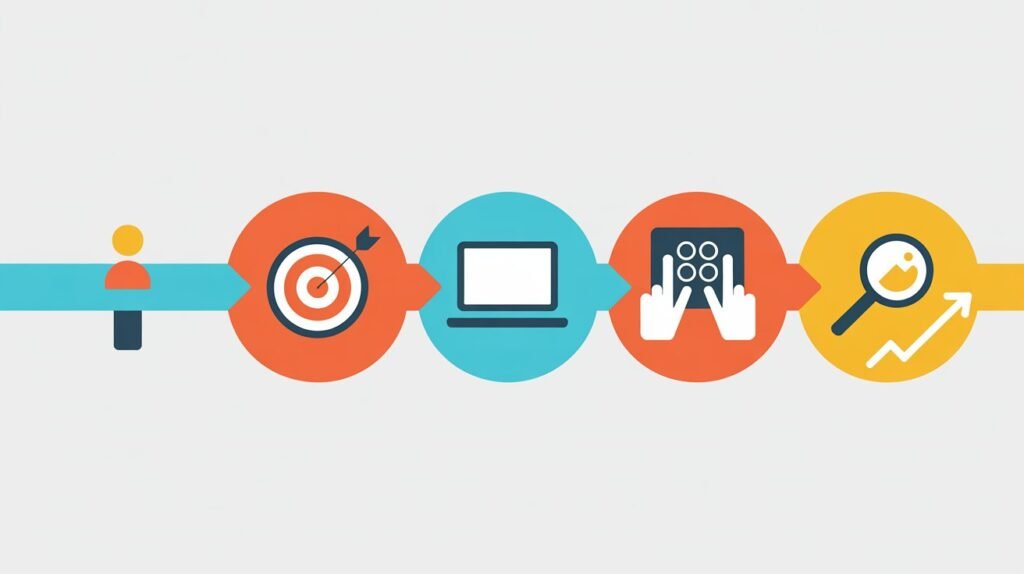
If you are new to AI, follow this simple plan.
Step 1: Decide what you want to use AI for
Ask yourself:
- Do I want help with studying?
- Do I want help with writing?
- Do I want help with design?
- Do I want help with research?
Knowing your goal helps you choose the right AI tool.
Step 2: Start with one beginner-friendly tool
Do not try many tools at once. Start with one simple AI tool like ChatGPT or Canva AI.
Learn how it works and practice using it daily.
Step 3: Learn how to write better prompts
AI tools respond based on your input.
Bad prompt:
“Write about marketing.”
Good prompt:
“Explain digital marketing in simple words with examples for beginners.”
Clear prompts give better results.
Step 4: Always review and edit AI output
AI tools help you, but you stay in control.
- Read the answer
- Fix mistakes
- Add your own ideas
This keeps your work original and accurate.
Step 5: Slowly explore more tools
Once you are comfortable, try other AI tools based on your needs.
This step-by-step approach avoids confusion.
Best AI Tools for Beginners (Free and Easy to Use)
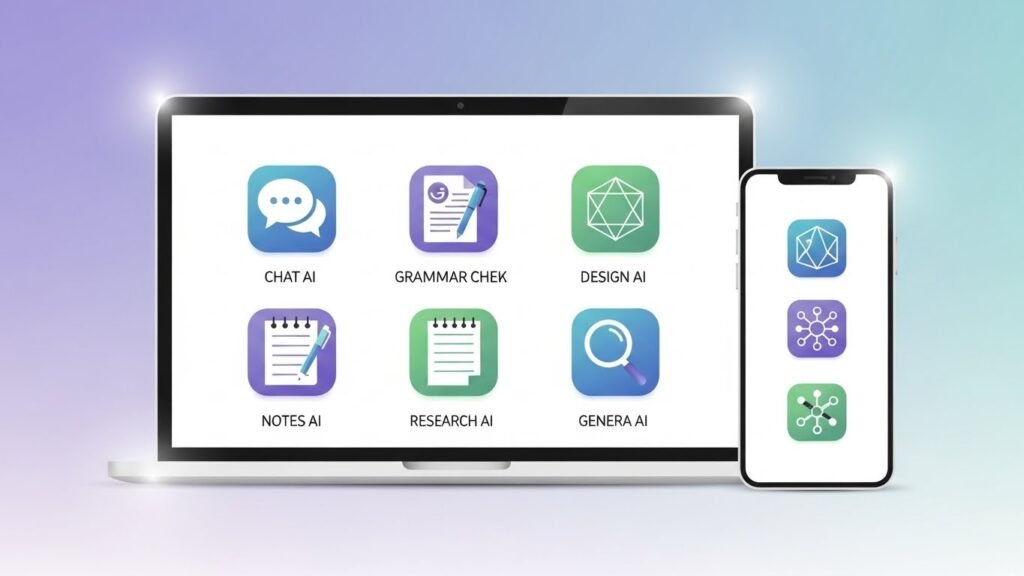
Here are the best AI tools for beginners in 2026.
ChatGPT – Best AI Tool for Learning and Writing
Helps with:
- Writing assignments
- Explaining concepts
- Generating ideas
- Drafting emails
- Studying topics
Best for students, beginners, bloggers, and freelancers.
Grammarly – AI Tool for Better English
Helps with:
- Grammar correction
- Clear sentences
- Better tone
- Vocabulary improvement
Best for students and professionals improving writing.
Canva AI – Design Made Simple
Helps with:
- Social media graphics
- Presentations
- Posters and flyers
- AI image creation
Best for beginners with no design skills.
Notion AI – Productivity and Smart Notes
Helps with:

- Smart note-taking
- Task planning
- Content summaries
- Study organization
Best for students and productivity beginners.
Perplexity AI – Research Made Easy
Helps with:
- Fast research
- Source-based answers
- Learning new topics
Best for students and learners.
Free AI Tools for Beginners (No Payment Required)

Many AI tools offer free plans.
Best free AI tools
- ChatGPT free version
- Grammarly free plan
- Canva free AI features
- Google Gemini
- Perplexity AI free
You can start learning AI without spending money.
Best Prompt Examples for AI Tools (Beginner-Friendly)
If you do not know what to ask, use these examples.
For studying
“Explain this topic in simple words with examples.”
For writing
“Write a professional email requesting leave.”
For productivity
“Create a daily study plan for 3 hours.”
For research
“Summarize this topic with key points and sources.”
Good prompts save time and give better answers.
How Beginners Can Use AI Tools in Daily Life

AI tools are useful for everyday tasks.
Daily uses of AI tools
Beginners use AI tools for:
- Homework and assignments
- Resume writing
- Planning schedules
- Learning skills
- Creating content
- Organizing tasks
AI tools make daily work easier and faster.
AI Tools for Beginners in Education and Learning
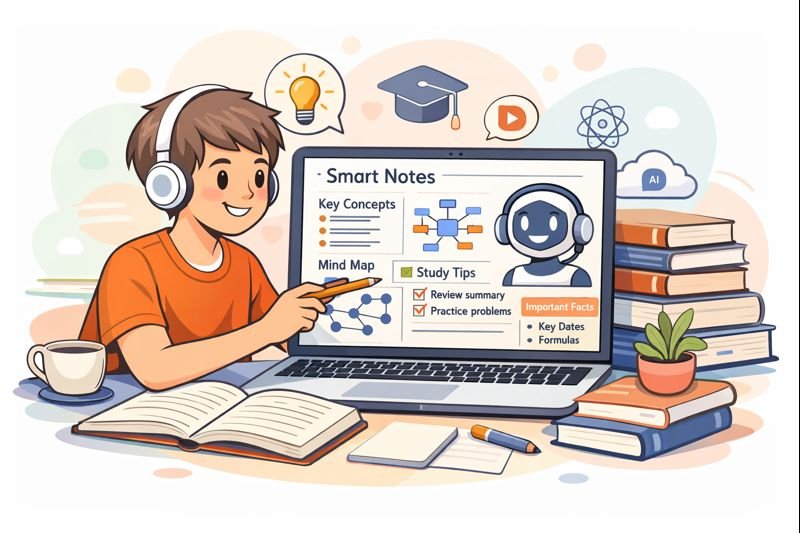
AI tools are changing how students learn.
Benefits for students
- Faster understanding
- Simple explanations
- Smart summaries
- Practice quizzes
- Better revision
Students can learn more in less time using AI tools.
AI Tools for Beginners in Work and Careers

AI tools are now part of many jobs.
Career benefits
- Writing resumes and cover letters
- Preparing for interviews
- Drafting emails and reports
- Learning job skills faster
- Improving productivity
Knowing AI tools gives beginners an advantage in the job market.
Best AI Tools for Beginners vs Traditional Software
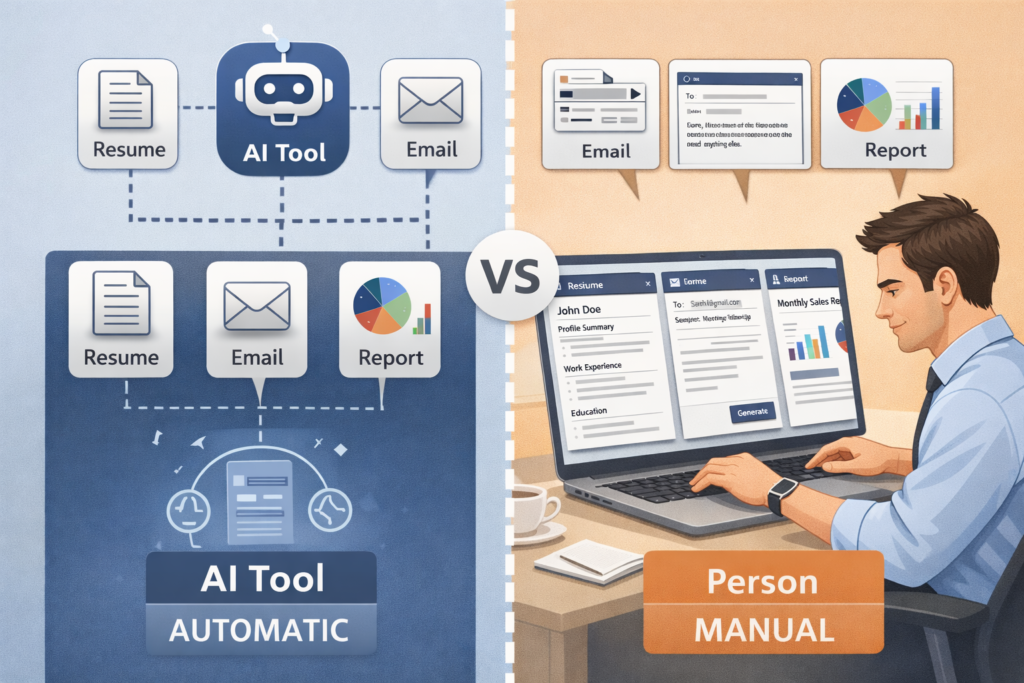
Many beginners wonder whether they should use AI tools or continue using traditional software. The main difference is how much work you must do manually versus how much the tool does automatically.
AI tools focus on automation and simplicity, while traditional software depends on manual effort and learning complex features.
Key Differences
| Feature | AI Tools for Beginners | Traditional Software |
|---|---|---|
| Ease of use | Very easy, works with simple text | Requires learning menus |
| Learning time | Minutes to start | Hours or days |
| Automation | High | Low |
| Speed | Very fast | Slower |
| Creativity support | Gives ideas and suggestions | No creative help |
| Flexibility | Handles many tasks | Limited to fixed tools |
| Best for | Beginners and daily tasks | Advanced professional work |
Example: Writing an Email
Using AI tools:
You type, “Write a polite leave email.”
The AI creates the full email instantly.
Using traditional software:
You must write everything yourself.
When beginners should choose AI tools
AI tools are best when you want:
- Quick results
- Less manual work
- Help with ideas and writing
Traditional software is useful when full manual control is needed for professional editing.
How AI Tools Improve Productivity for Beginners
AI tools reduce repetitive work.
Productivity benefits
- Faster task completion
- Less mental stress
- Better organization
- More focus on important tasks
Beginners can finish more work in less time.
Common Mistakes Beginners Make With AI Tools
Avoid these common mistakes.
Mistakes
- Trusting AI without checking
- Asking unclear questions
- Copying content without editing
- Expecting perfect results
Better approach
- Ask specific questions
- Review all outputs
- Use AI as support, not replacement
How to Choose the Right AI Tool as a Beginner
Choose tools based on your needs.
Selection tips
- Define your goal
- Check ease of use
- Try free plans first
- Avoid complex tools initially
Start simple and expand later.
Are AI Tools Safe for Beginners?
Most AI tools are safe when used properly.
Safety tips
- Do not share personal details
- Do not rely on AI for medical or legal advice
- Avoid plagiarism
Use AI responsibly.
Can AI Tools Replace Humans? (Beginner Perspective)
AI tools cannot replace human thinking.
What AI can do
- Assist with tasks
- Improve speed
- Reduce effort
What AI cannot do
- Make human decisions
- Understand emotions fully
- Take responsibility
AI is a helper, not a replacement.
Ethical Use of AI Tools for Beginners
Responsible use is important.
Ethical rules
- Do not cheat using AI
- Do not submit AI content without editing
- Respect privacy
Using AI ethically builds trust and skills.
Common Myths About AI Tools for Beginners
Myth: AI tools are only for experts
Reality: They are built for beginners.

Myth: AI tools are expensive
Reality: Many are free.
Myth: AI tools are hard to learn
Reality: Most can be used in minutes.
How Long Does It Take to Learn AI Tools as a Beginner?
Learning AI tools is fast.
Learning timeline
- First use: few minutes
- Basic understanding: 1–2 days
- Confident usage: 1–2 weeks
Practice is more important than speed.
Future of AI Tools for Beginners
AI will become part of daily life.
What to expect
- AI in education apps
- AI in office software
- AI in smartphones
AI skills will be basic digital skills.
AI Tools for Beginners in 2026 and Beyond

In the coming years:
- Jobs will expect AI knowledge
- Learning will use AI support
- Productivity will depend on AI tools
Starting now gives long-term benefits.
Frequently Asked Questions (FAQs) – AI Tools for Beginners
What are AI tools for beginners?

AI tools for beginners are easy-to-use apps that use artificial intelligence to help with writing, studying, designing, research, and productivity without needing technical skills.
Do beginners need coding skills to use AI tools?
No, most beginner AI tools work with simple text prompts and buttons. You can use them without any programming knowledge.
Which are the best AI tools for beginners?
Popular beginner-friendly AI tools include ChatGPT, Grammarly, Canva AI, Notion AI, Perplexity, and Google Gemini.
Are AI tools free for beginners?
Many AI tools offer free plans or trials, which are enough for basic tasks like writing, research, and design.
How can beginners start using AI tools?
Beginners can start by choosing one tool, creating an account, typing simple prompts, and practicing daily with small tasks.
What can beginners use AI tools for?
Beginners can use AI tools for homework help, content writing, resume creation, social media posts, image design, and learning new topics.
Are AI tools safe for beginners to use?
Yes, most popular AI tools are safe when used responsibly, but users should avoid sharing personal or sensitive information.
Can students use AI tools for studying?
Yes, students can use AI tools for summaries, explanations, quizzes, note-making, and exam preparation.
Are AI tools useful for non-technical people?
Yes, AI tools are designed for everyday users like students, freelancers, and office workers, not just tech experts.
Can beginners earn money using AI tools?
Yes, beginners can use AI tools for freelancing, content creation, digital marketing, and online services to earn money.
How accurate are AI tools for beginners?
AI tools are helpful but not always perfect. Beginners should double-check important facts and information.
What is the easiest AI tool to start with?
ChatGPT and Canva AI are often considered the easiest AI tools because they work with simple instructions.
Do AI tools replace human skills?
AI tools support human work by saving time, but they do not replace creativity, thinking, or decision-making.
Can beginners use AI tools on mobile phones?
Yes, many AI tools have mobile apps or mobile-friendly websites that work on smartphones.
How long does it take to learn AI tools?
Most beginners can learn basic AI tool usage within a few hours of practice.
Are AI tools useful for small businesses?
Yes, small businesses use AI tools for marketing, customer support, content creation, and automation.
What mistakes should beginners avoid with AI tools?
Beginners should avoid copying AI content blindly, ignoring accuracy, and relying only on AI without learning.
Can AI tools help with English writing?
Yes, AI tools can improve grammar, clarity, and vocabulary for better writing.
What is the future of AI tools for beginners?
AI tools will become more simple, personalized, and widely used in daily life and work.
How do I choose the right AI tool as a beginner?
Choose an AI tool based on your goal, such as studying, writing, design, or productivity, and start with free versions.
Quick Info: AI Tools for Beginners
AI tools for beginners are beginner-friendly AI software and AI-powered apps that help people complete everyday tasks without coding. The best AI tools for beginners include tools for writing, studying, design, research, and productivity. Many free AI tools for beginners allow users to start learning and using AI without payment.
These beginner-friendly AI tools are widely used as AI tools for students, AI tools for learning and studying, and AI tools for daily use, such as writing assignments, preparing for exams, creating resumes, and managing tasks. Most easy AI tools for beginners work with simple text instructions, making them perfect AI tools without coding for new users.
If you are wondering how to use AI tools for beginners, the process is simple: choose a goal, pick one tool, write clear prompts, and review the results. With regular practice, AI tools for productivity beginners help save time, improve accuracy, and support faster learning in school, work, and personal projects.
Conclusion: Should Beginners Start Using AI Tools Today?
Yes, beginners should start using AI tools today.
AI tools for beginners are simple, powerful, and free to start. You do not need experience or technical skills. By using AI tools daily and learning how to ask better questions, you can learn faster, work smarter, and stay prepared for future opportunities.
AI is becoming a basic skill.
Starting now gives you a strong advantage.
Hi Sumanth, your explanation of AI is good, but AI tools are not available on your website. If you develop that section more and add useful AI tools, it will help users to upskill. Thank you.
Thanks a lot, Manideep! 🙌 That’s a great suggestion. I’ll definitely expand the AI tools section and add more useful resources soon to help students upskill better. Stay tuned!
Hello Sumanth .Good job and explore more