
How to Use AI Tools for Studying in 2025: A Complete Student Guide
AI tools are quietly changing how students study every single day. Instead of wasting hours rewriting notes or scrolling through random websites, you can use AI to learn faster, stay organized, and feel more confident before exams.
This guide walks you through how to actually use AI for studying, even if you are a complete beginner or not very “techy.”
You will discover:
- Which AI tools are worth using as a student
- How to use AI for notes, exams, research, and revision
- Ready-made prompts you can copy and use
- Common mistakes that make students overdependent on AI
Why Students Should Use AI for Studying

Using AI to study is not about cheating or taking shortcuts. It is about studying smarter so you can spend more time understanding concepts instead of doing boring manual work.
When used properly, AI can help you:
- Save 3–5 hours a day on notes, research, and revision
- Understand tough topics in simpler language
- Keep your notes and materials automatically organized
- Revise more chapters in less time with better recall
Students who use AI correctly do better because they focus on real understanding, not just copying from guides or writing pages of notes.
Best AI Tools for Students in 2025
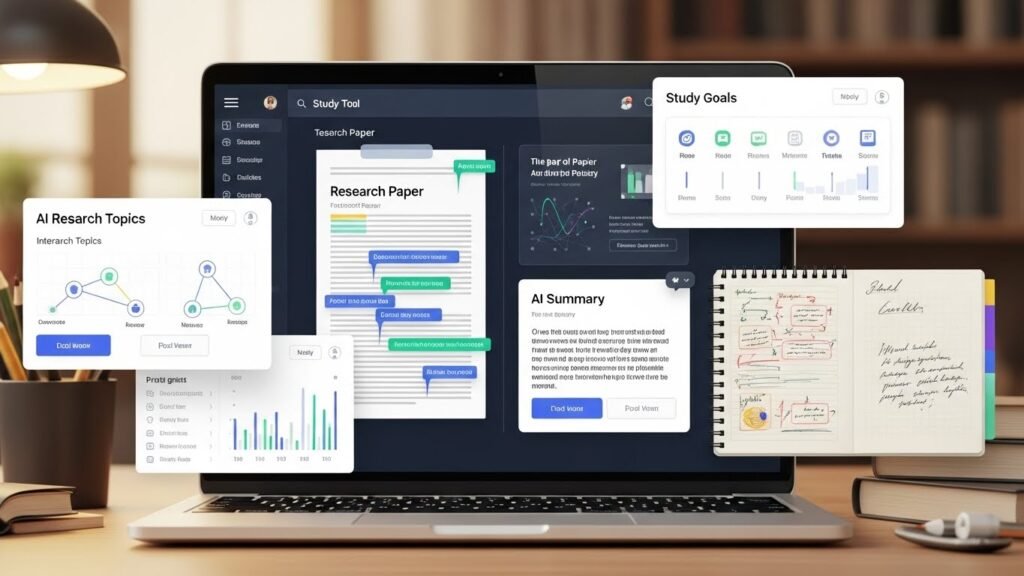
Here are some of the best AI tools that actually help students in school, college, and competitive exams:
- ChatGPT – Best for explanations, summaries, doubt-solving, notes, and exam preparation.
- Perplexity AI – Best for research, fact-based answers, and responses with sources and links.
- Notion AI – Best for organizing subjects, notes, tasks, and creating simple study dashboards.
- Quizlet AI – Best for flashcards, practice quizzes, and active recall sessions.
- Grammarly – Best for checking grammar, improving writing, and polishing assignments.
- Otter AI – Best for recording classes or lectures and turning them into searchable text notes.
Together, these tools cover almost everything a modern student needs: notes, revision, research, writing, and practice.
How to Use AI Tools for Studying Effectively
1. Use AI to Summarize Chapters
Instead of reading the same long chapter again and again, you can ask AI to turn it into short, exam-focused points. Tools like ChatGPT, Notion AI, and note-taking AIs can quickly summarize long PDFs or chapters into bullet-point notes.
This is especially helpful for:
- Theory-heavy subjects
- Last-minute revision before tests
- Competitive exams with huge syllabi
2. Make Clean Study Notes with AI
If your notes are messy or incomplete, AI can help convert rough content into proper, organized study notes. Many AI tools can structure content with headings, bullet points, and key highlights so revision becomes faster.
You can ask AI to arrange content with:
- Headings and subheadings
- Bullet points and numbered lists
- Key terms, definitions, and examples
3. Solve Doubts Instantly
Instead of waiting for your teacher, senior, or coaching, you can ask AI to clear your doubts step by step. ChatGPT-like tools and tutor-style AIs can explain concepts in simple language with worked examples.
You can request:
- Simple explanations in beginner-friendly language
- Step-by-step solutions for problems
- Real-life examples and analogies to understand concepts
4. Create Flashcards and Quizzes
AI tools can turn your chapters into questions so you can test yourself. Platforms like Quizlet AI, StudyFetch, and similar flashcard generators create interactive flashcards and quizzes from your notes, PDFs, or lectures.
You can generate:
- Multiple-choice questions (MCQs)
- Short answer questions
- Flashcards for quick revision
- Practice tests on a single chapter or entire unit
5. Use AI for Research and Assignments
For projects, essays, and research-based assignments, AI can help you find information faster. Perplexity AI and similar tools provide research-style answers with citations and links so you can explore topics more deeply.
However, always double-check important facts using trusted books or official websites before submitting any work.
6. Improve Writing and Grammar
If you struggle with English, formatting, or writing style, AI can polish your content without changing your meaning. Grammarly and other writing assistants help correct grammar, improve clarity, and refine academic writing.
This is extremely useful for essays, lab records, reports, statements of purpose, and even emails to teachers.
7. Plan Your Study Schedule with AI
Instead of guessing how to manage time, you can ask AI to create a realistic study plan based on your exam date. Some tools and assistants help generate daily and weekly study plans that focus on your weak areas.
You can request:
- A daily study plan focused on your weak subjects
- A weekly revision schedule
- An exam countdown timetable covering all chapters
AI Study Prompts Students Can Copy
You can directly copy and use these prompts with any AI tool:
- For summaries
“Summarize this chapter into exam-ready bullet points using very simple language.” - For notes
“Convert this text into clean, structured study notes with headings, subheadings, and bullet points.” - For exam prep
“Create 20 MCQs and 10 short answer questions from this chapter with answers.” - For research
“Explain this topic in detail and include verified sources or references I can check.” - For study plan
“Create a 7-day study plan based on these subjects and my upcoming exam date. Focus more on my weak topics.”
These prompts work well across tools like ChatGPT, Perplexity AI, and other student-focused AI platforms.
Common Mistakes Students Make with AI
Many students misuse AI and then blame the tool. Avoid these common mistakes:
- Copying AI answers word-for-word into assignments or exams
- Not verifying important facts, formulas, or definitions
- Using AI only at the last moment before exams
- Relying completely on AI without trying to understand the concept
AI should act like a smart study assistant, not a replacement for your own thinking or effort.
Is Using AI for Studying Safe?
Yes, using AI for studying is generally safe as long as you use it responsibly and ethically. Well-known tools like ChatGPT, Grammarly, Notion AI, and Perplexity AI are widely used by students globally.
Follow these basic rules:
- Always verify critical information from textbooks or trusted sources
- Use AI to learn, practice, and understand, not to cheat in exams
- Rewrite AI-generated content in your own words and style
Future of AI in Education
AI is slowly becoming a normal part of student life, just like calculators and Google once did. In 2025, many schools and universities are already integrating AI-based tools for learning and support.
Students who start learning AI early will:
- Study faster than others
- Understand concepts more deeply
- Stay ahead in competitive exams and future careers
In the coming years, knowing how to use AI will be a real academic and career skill, not just a “cool extra.”
Final Thoughts
Learning how to use AI tools for studying can completely change your student life. When used properly, AI saves time, reduces stress, and helps you study in a more focused and efficient way.
Start small: use AI for one chapter, one subject, or one study plan. Practice daily, experiment with prompts, and treat AI as your study partner—not your shortcut.

50 Best Free AI Tools for Students and Professionals (2025) :- click here
🧠 PART 2: HOW TO MASTER AI TO STUDY SMARTER (ADVANCED GUIDE)
Advanced Ways to Use AI Tools for Studying

Once you get the basics down, the real magic happens when you use AI like a top student—not just a beginner.
These advanced tricks help you:
- Cut down your revision time
- Boost your memory for exams
- Study smarter, not harder
- Avoid burnout and stress
This is how the best students actually use AI tools every day, and trust me, it makes a big difference.
Use AI for Active Recall (Memory Boost)
Rereading notes feels like studying, but research says it’s actually one of the least effective methods. What really works is active recall—forcing your brain to pull out information.
AI makes this super easy. Here’s what I do:
- Paste my notes into an AI tool
- Ask it to make questions
- Try answering without looking
- Check my answers and spot weak areas
Example prompt:
“Create 15 MCQs and 10 short-answer questions from these notes.”
Why this works:
- It strengthens memory
- Improves exam scores
- Shows me which topics need more work
This is honestly one of the best ways I use AI for studying, especially before big exams.
Use AI to Explain Topics in Simple Language
If a topic feels confusing, it’s usually not your fault—it’s the way it’s explained.
AI can break down tough concepts into simple, step-by-step explanations. I always ask AI to:
- Explain things like I’m 10 years old
- Use simple logic
- Give real-life examples
Example prompt:
“Explain this topic in very simple words with examples.”
Best for:
- Math
- Physics
- Chemistry
- Coding
- Any technical subject
This method helps me really understand concepts, not just memorize them.
Use AI to Compare Concepts (Great for Exams)
Many exams ask you to compare similar topics, and this is where AI shines.
I use AI to:
- Compare formulas
- Differentiate similar topics
- Clear up confusion
Example prompt:
“Compare Topic A and Topic B in a simple table with examples.”
Why this helps:
- Makes answers clearer
- Speeds up revision
- Helps me answer theory questions better
This is a game-changer for competitive exams[1][2].
How to Use AI for Exam Preparation
This is where AI gives you the biggest edge over traditional studying.
With AI, I don’t need:
- Multiple guidebooks
- Endless rereading
- Random practice questions
Create Exam-Focused Notes with AI
Long notes slow me down before exams. AI helps me turn chapters into short, exam-ready notes.
I ask AI for:
- Key points
- Definitions
- Important formulas
- Likely exam areas
Prompt:
“Convert this chapter into exam-oriented notes with key points.”
Result:
- Short, focused notes
- Faster revision
- Better recall
This is how I use AI note-taking tools to stay ahead.
Practice with AI-Generated Questions
Practice beats passive reading every time.
AI can make:
- MCQs
- Case-based questions
- Short answers
- Application problems
Prompt:

“Create exam-level questions from this chapter with answers.”
How I use it:
- Answer first
- Compare with AI
- Learn from my mistakes
This builds confidence and accuracy for exams.
Last-Minute Revision Using AI
Before exams, time is everything.
AI is perfect for quick revision.
I ask AI for:
- One-page summaries
- Formula sheets
- Quick revision notes
Prompt:
“Create a one-page revision sheet for this chapter.”
Best for:
- Night before exams
- Morning revision
- Reviewing weak topics
This is my go-to for last-minute preparation.
AI Study Workflow (Daily Student Routine)
This is my daily routine, and it’s helped me save hours every day.
Morning – Learning
- Read the chapter
- Use AI to summarize
- Clear doubts instantly
Afternoon – Practice
- Generate questions with AI
- Practice answers
- Analyze mistakes
Night – Revision
- Revise using flashcards
- Read quick summaries
- Focus on weak topics
Result:
- Saves 3–5 hours daily
- Improves understanding
Mistakes Students Make When Using AI
I’ve seen a lot of students mess up with AI. Avoid these:
- Copying AI answers word-for-word
- Not verifying facts
- Using AI only before exams
- Skipping understanding
- Depending on AI blindly
AI is best when you use it to think, not replace thinking.
Is AI Allowed for Studying and Exams?
AI is allowed for:
- Learning
- Practice
- Notes
- Planning
- Revision
AI is not allowed for:
- Cheating in exams
- Submitting AI answers as your own
Always use AI ethically.
Future of AI Tools for Students
AI will soon be a daily study buddy.
In the future:
- Learning will be personalized
- Study plans will adapt automatically
- Weak topics will be detected early
Students who use AI now will stay ahead.
Final Thoughts – Should Students Use AI Tools?
Yes, absolutely.
Students who use AI tools:
- Save time
- Learn more effectively
- Score higher
- Reduce stress
Start small, practice daily, and use AI wisely.
Quotes
“AI doesn’t replace learning. It removes wasted effort.”
“Smart students don’t study longer. They study smarter.”
“AI is the calculator of modern education.”